
Disclosure: This article contains affiliate links. If you buy through these links, we may earn a commission at no extra cost to you. We only recommend products and services we have personally used on the road. Affiliate partnerships never influence our editorial verdicts — see our editorial standards for the full policy.
Search for the best VPN for travel, and you’ll quickly notice a pattern: most results look almost identical. Page after page of articles recommending the same handful of services, often written by people who don’t actually travel much.
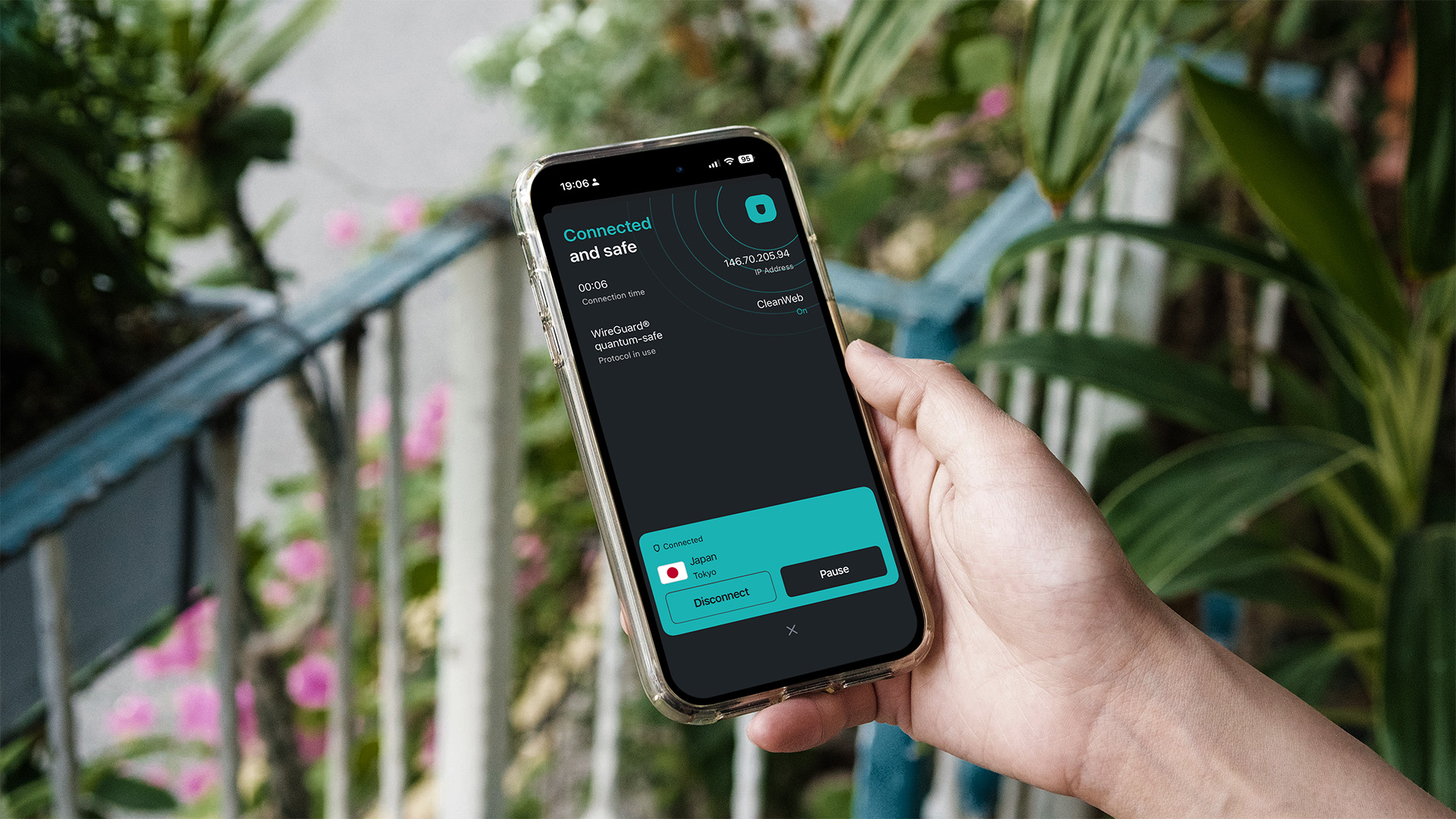
This guide is different. It’s based on real experience, written by someone who travels frequently and has tested multiple VPN services in real-world settings such as airport Wi-Fi, hotel networks, and cafés around the world. After years of switching between providers, I’ve settled on what I currently consider the best VPN for travel for most people today: Surfshark. In this article, I’ll explain why I use it, where it performs well, and what to keep in mind if you choose something else.
If you want the short version: a good travel VPN really only needs to do two things well. First, it should keep your data secure on public Wi-Fi, the kind you’ll inevitably connect to in airports, hotels, and coworking spaces. Second, it should let you access your usual online services from back home, whether that’s banking apps, streaming platforms, or work tools that might otherwise behave differently abroad.
Surfshark handles both of these reliably, works across unlimited devices, and is priced to be practical for everyday travel, especially if you’re using multiple devices or sharing with a partner.
The rest of this guide goes deeper into real-world performance, strengths and weaknesses, and situations where you might not even need a VPN. The goal isn’t just to recommend a product, but to help you decide what actually fits your travel style.
If you’re building a broader travel setup, you might also like: Must-Have Apps for Travelling to Japan: 6 Essential Picks for Your Next Trip — VPN is #2 on that list, alongside eSIM data, navigation tools, ride-hailing apps, and other essentials I actually rely on when I’m on the road.
In This Guide
Quick Links & Discounts
- 🔒Our pick for the best VPN for travel — Surfshark:
Get Surfshark — extra discount via our partner link
You’ll see the same Surfshark link throughout this guide. That’s deliberate: it’s our pick for the best VPN for travel; the partner link gives you a small discount on the standard price, and it costs you nothing extra. Same product, slightly better deal, and it helps us keep producing free first-hand travel guides like this one.
Why You Need a VPN When You Travel (Even If You Think You Don’t)
I know VPNs feel like one of those things that suddenly became mainstream in the last few years, and many travellers still see them as something optional for “techy” people. As someone with a background in technology, I’d push back hard on that. A VPN for travel is one of the most basic safety tools you can have on the road.
Every time you tap “join” on a public Wi-Fi network in an aeroplane, airport, hotel, café, or conference centre, you’re trusting whoever runs that network with everything you do while you’re connected. That can include anything from booking a train ticket in Japan to entering credit card details, checking your email, logging into work tools, or receiving bank authentication prompts. All of this data can pass through networks that are often built from inexpensive hardware and minimal security, sometimes leaving your activity far more exposed than most people realise.
Most of the time, nothing obviously bad happens when you use public Wi-Fi. That is what makes the risk easy to ignore. The issue is not the typical case, but the worst-case scenario, which is rare but still possible depending on the network setup.
A common example is a hotel Wi-Fi network shared by hundreds of guests. In some configurations, devices on the same network can still interact with each other. Even when they cannot directly read your traffic, someone on the same network can sometimes exploit unencrypted connections or weakly secured traffic to attempt interception of data. This is the kind of risk a VPN is designed to reduce by encrypting the connection between your device and the VPN server. Once that tunnel is active, the local network becomes far less relevant to what you are doing online.
Beyond security, there is a second practical benefit: access to services that assume you are at home. The moment you arrive in a new country, some of your everyday apps start behaving differently. Streaming platforms may show different libraries, banking apps may trigger extra verification steps, and work tools can flag new logins as unusual activity, or they may be geo-blocked.
If you have ever landed after a long flight, opened your phone, and spent time dealing with login confirmations or blocked-access prompts, you have already experienced the friction that a travel VPN helps reduce. With a VPN, many of these services continue to work more consistently, since your connection appears to originate from your usual region.
Security on public networks and smoother access to familiar services will cover the core use cases for most frequent travellers. And once a VPN is part of your regular setup, it is usually easier to leave it on by default than to switch it on and off throughout the day.
What a Travel VPN Actually Has to Do
Before picking a service, it’s worth separating the must-haves from the nice-to-haves. I’ve ranked the five capabilities I’d actually care about for a VPN for travel, based on how often they actually matter while travelling. These are the five capabilities I personally prioritise, ranked by real-world usefulness rather than marketing claims.
Encrypt Public Wi-Fi (the non-negotiable)
This is the entire reason a VPN exists. Any service you’re considering must offer modern, audited encryption, such as WireGuard or OpenVPN at a minimum, and a no-logs policy that has been independently verified. If a provider can’t tell you in writing who audited their no-logs claim and when, that’s a red flag. The whole point of the exercise is to keep your traffic unreadable to whoever runs the network you’re on and to the provider itself.
Reach Your Home Country’s Streaming & Services
You might find a brilliant new show in Tokyo, log into your home account, and immediately discover it’s not available outside your home country. The same thing happens with sports broadcasts, your bank’s anti-fraud prompts, and even some work tools that geo-block logins. A good travel VPN lets you hop back to a server in your home country in a couple of taps and pretend, briefly, that you never left.
Have Servers Where You’re Actually Flying
Server count on its own is not very meaningful. What matters more is whether a provider has well-distributed servers in the places you actually visit. If you frequently travel through East or Southeast Asia, for example, you want reliable, low-latency options in countries like Japan, South Korea, Singapore, and Hong Kong. A smaller but well-placed network is often more useful than a huge global list with weak regional coverage.
Cover More Devices Than You’d Think
Quick mental tally: phone, tablet, laptop, the browser extension on the laptop, your travel partner’s phone and tablet, the smart TV in the hotel room, an Apple TV or Fire Stick in a long-stay rental, maybe an e-reader or a portable console. Most paid VPN plans cap simultaneous connections somewhere in the single digits. You’ll burn through that cap faster than you expect, especially if you share with a travel partner. This is the single biggest reason a connection cap ends up feeling restrictive in practice, and the single biggest reason an unlimited-devices plan is worth paying a little more for.
Be Easy to Install on a Moving Target
A good travel VPN should work quietly in the background. That means reliable apps on iOS, Android, macOS, and Windows, plus optional browser extensions when needed. Linux support is a bonus. Useful quality-of-life features matter here, such as automatically reconnecting on new networks or allowing you to mark trusted Wi-Fi connections so the VPN does not interfere unnecessarily at home. These are small conveniences, but together they make the experience essentially effortless.
My Pick: The Best VPN for Travel (And Why It’s Stuck)
I’ve used a stack of VPN services over the last couple of decades, including the household names you’ll see on every online “top 10” list. The one I’ve stuck with, and continue to pay for myself, is Surfshark. The reason isn’t that it has one killer feature. It’s that it consistently checks the boxes that matter most to the way I travel:
- Unlimited devices on a single subscription. This was the feature that initially got my attention. Not 5, not 10, it’s unlimited. phone, laptop, tablet, browser extension, streaming device, and often a few of my partner’s devices as well. If you’re travelling as a couple or family, those numbers add up surprisingly quickly. With Surfshark, I don’t have to think about device limits. I install it wherever I need it and move on.
- Household sharing. Surfshark officially allows you to share your account within your household. On an unlimited-device plan, that math actually works. Split the cost with a travel partner or a family, and the per-person price drops to a level that’s hard to beat. This is a quiet, underrated advantage of the unlimited-device model.
- Independent no-logs audits and a credible safety track record. Privacy is one of those things most people never think about until something goes wrong. Surfshark’s no-logs policy has been independently audited, which is something I always look for in a VPN provider. The company also operates RAM-only servers, meaning server data is wiped whenever a server restarts.
- Servers in the places I actually fly to. Coverage in 100+ countries, including multiple locations across Japan, South Korea, Hong Kong, Singapore, and most of Europe. Surfshark has consistently provided fast, reliable servers in the countries I travel through most often. Whether I need a local connection where I am or want to connect back home, I’ve rarely had trouble finding a suitable server.
- Hide-your-device-on-the-network mode. On busy hotel Wi-Fi, you don’t want every other guest on the network to see your laptop in their shared network device list. Surfshark’s “invisible on LAN” toggle is a small thing, but it’s the kind of small thing that makes a real difference on a network with hundreds of strangers.
- Apps everywhere I actually use them. iOS, Android, macOS, Windows, Linux, Chrome, Firefox, Edge, Fire TV, Apple TV — I’ve installed it on all of those at some point, and the experience is consistent across them. The auto-connect on untrusted Wi-Fi and the “pause for 5 minutes” option are both features I rely on weekly.
- Streaming unblocking, the way I actually use it. When I’m back at the hotel and want to watch the same TV I’d watch at home, the connection just works for the major services. This is genuinely the reason I keep the VPN on the whole trip, not just on hotel Wi-Fi — it’s an “always on” tool, not an emergency one.
That’s ultimately why I leave the VPN running most of the time. It isn’t something I switch on only when I feel at risk. It has simply become part of my normal travel setup.
If Surfshark sounds like a good fit for the way you travel, you can check the latest plans and features on their website. Even if you choose a different provider, the key takeaway is to pick a VPN you’ll actually use consistently while travelling. A decent VPN that stays on is far more useful than a perfect one you never bother to open.
What About the Other Big Names?
If you read any “best VPN” roundup, you’ll see the same three names appear next to Surfshark. They are all good services. The honest difference, for the kind of travel use case this article is about, comes down to a few trade-offs worth knowing:
- NordVPN — A close second for me, with a slightly larger server fleet and a longer track record in the security-research community. The reason it isn’t my daily driver: the paid plan caps simultaneous connections well below “unlimited,” and on trips where I’ve needed a household-shared account, that cap has been the deciding factor. (Check their current plan page for the exact number; providers adjust this from time to time.)
- ExpressVPN — The most polished apps in the category, and the most expensive. If you value app design and you only ever use a VPN on a handful of devices at once, it’s a perfectly good choice. The price is hard to justify given that unlimited-device alternatives cost significantly less.
- Proton VPN — A genuinely strong option, especially if you already use Proton Mail or Proton Drive. Their free tier is unusually good for a free VPN, and the paid tier is competitively priced. The main reason it isn’t on my shortlist: the connection cap on the paid plan is the lowest of the three I’m naming here, and the streaming-unblocking record is more variable than the others. (Their pricing and plan limits change periodically — worth a quick check on the official site before you sign up.)
If your travel pattern is “one device, one country, one trip at a time,” any of the three will serve you well. For the kind of multi-device, multi-country, multi-person use case I’ve described, Surfshark’s unlimited-device model is the clearest value pick.
Quick Setup: How to Install the Best VPN for Travel in 10 Minutes
Do this at home, on your own network, before you fly. Trying to do it on aeroplane Wi-Fi at 35,000 feet is a great way to discover why “install before you travel” is the rule.
- Sign up on the provider’s website. Pick a 1- or 2-year plan if you’re sure you’ll keep using it (the per-month price is dramatically lower), or the monthly plan if you only need it for one trip. Most services, including Surfshark, offer a 30-day money-back guarantee, so the risk with longer plans is effectively zero.
- Install the apps on every device that matters. Phone, tablet, laptop. Sign in with the same account on each. The app should let you mark your home Wi-Fi as “trusted” so the VPN doesn’t run on networks you already trust. This saves battery and prevents weird issues with smart-home devices.
- Add the browser extension. This matters more than people expect. A browser extension protects only browser traffic, but it also covers you on a work-issued laptop where you can’t install system-level software. Install it on the browser you actually use, sign in once, and forget about it.
- Turn on auto-connect for untrusted Wi-Fi. This is the single most useful setting. As soon as your phone or laptop joins a new Wi-Fi network, the VPN turns on automatically. You never have to think about it.
- Test it once before you leave. Connect to the VPN, load your bank’s website, log in to Netflix, and open your work VPN. If anything is going to misbehave, you want to find out at home, not in a hotel room at 1 am.
Total time: about 10 minutes for the full install. Total ongoing thought required: close to zero, once the auto-connect is on.
When to Turn the VPN Off (Yes, Sometimes)
Honesty section. A VPN is the right default for almost every minute of a trip, but there are two or three situations where it’s worth turning it off briefly. Skipping this section would be the kind of thing that makes a VPN roundup feel like an advertorial, which it isn’t.
- Hotel captive portals. The first time you join a hotel or café Wi-Fi network, the network often forces you through a “sign in” or “agree to terms” page before letting you on. Some of these pages won’t load when the VPN is on, because the portal checks your IP and gets confused. The fix: turn the VPN off for 60 seconds, sign in, then turn it back on.
- Some banking and government apps. A few banking apps and government service portals will trigger additional verification (or block the session entirely) when they detect a login from a VPN IP. This is more common with American banks than European or Asian ones, in my experience. The cleanest workaround is to disconnect from the VPN, complete the verification, and reconnect. Don’t leave it off for more than a minute or two, and never on a public network without it.
- Local-only services that you genuinely trust. If you’re in your own rental apartment, using your own secure Wi-Fi, and you want to watch Japanese Netflix in Japanese, there’s no reason to route it through another country. Turn the VPN off for the duration of the show; turn it back on when you’re done. This is a nice-to-have, not a security requirement.
Beyond those narrow cases: keep the VPN on. It is the safer default, and on a modern device the speed cost is small enough that you’ll forget it’s running.
Final Thoughts: Best VPN for Travel
If you’ve made it this far, the short version is the one in the intro. The best VPN for travel is the one you’ll actually leave turned on, that encrypts everything on public Wi-Fi, and that doesn’t make you choose which device gets protected. For me, that’s Surfshark — the unlimited devices, the household sharing, the consistent apps across iOS, Android, Mac, Windows, and the browser, and the rare combination of “polished enough that I forget it’s there” and “audited enough that I trust it with my traffic.”
If your use case is different, using only one or a handful of devices, in a few countries, for occasional trips, NordVPN, ExpressVPN, or Proton VPN will all do the job well, and you should pick whichever one feels right. The point of this article was never “there is one correct answer.” It was: don’t board a long-haul flight without one installed and tested.
Quick links, in case you want to act on any of this:
- 👉 Get Surfshark — partner discount, no extra cost to you
- 👉 Must-Have Apps for Travelling to Japan: 6 Essential Picks for Your Next Trip — VPN is one of six; eSIM data, ride-hailing, and the rest of the travel stack live here.
- 👉 Airalo Asialink eSIM South Korea Review — for the data side of the same travel stack.
And if you want more first-hand travel guides like this one, please subscribe to the Midair Times newsletter. We don’t spam.
Note: This article contains affiliate links. If you click the Surfshark link above and make a purchase, we may earn a small commission at no extra cost to you. We only recommend services we personally use on the road — see our editorial standards for how affiliate relationships work on Midair Times.
Leave a Reply