
Disclosure: This article contains affiliate links. If you buy through these links, we may earn a commission at no extra cost to you. We only recommend products and services we have personally tested across many trips to Japan.
After years of regular trips to Tokyo, Kyoto, Osaka, and beyond, I’ve settled on a tight, reliable stack of must-have apps for travelling to Japan that handles connectivity, security, getting around, and even helps me pick up Japanese-only products I’d otherwise have no way to get my hands on. Every time I land in Japan, I open the same handful of apps.
This isn’t a generic “best apps” round-up. These are apps I actually use, in the order I’d install them if I were starting from scratch. Most of them work just as well across Japan, and a couple stretch to the rest of Asia, too.
Table of Contents
Quick Links & Discounts
- 🌐Airalo eSIM:
Airalo Asialink eSIM (Japan, KR, HK, SG and 14 more) - 🔒Surfshark VPN:
Get Surfshark — extra discount via our link - 🛍️Amazon Japan:
Read the full Amazon Japan guide →
Airalo promo codes (apply at checkout):
- NEWTOAIRALO15 — 15% off (new customers)
- AIRALOESIM10 — 10% off (existing customers)
Why These Are the Must-Have Apps for Travelling to Japan (and Why This Order)
Most “must-have apps” lists open with Google Maps or Uber. That misses the point. The first problem you actually have to solve, the second your plane touches down, is data. Without it, none of the other apps works. Then comes security on whatever public Wi-Fi you end up on. Only after that does it make sense to talk about getting around and shopping.
I’ve put the apps in the same order I’d install them on a fresh phone, with one entry per job:
- Airalo — eSIM data (so that you are connected the moment you touch down)
- Surfshark — VPN for every public network
- Amazon Japan — pick up Japanese-only products and home deliveries
- Uber — rides and food in metropolitan areas
- GO Taxi — the reliable taxi app when Uber isn’t available
- Google Maps — navigation and public transport
Each one has earned its spot on the list over many trips, not just one. Let’s go through them.
1. Airalo: eSIM Connectivity First
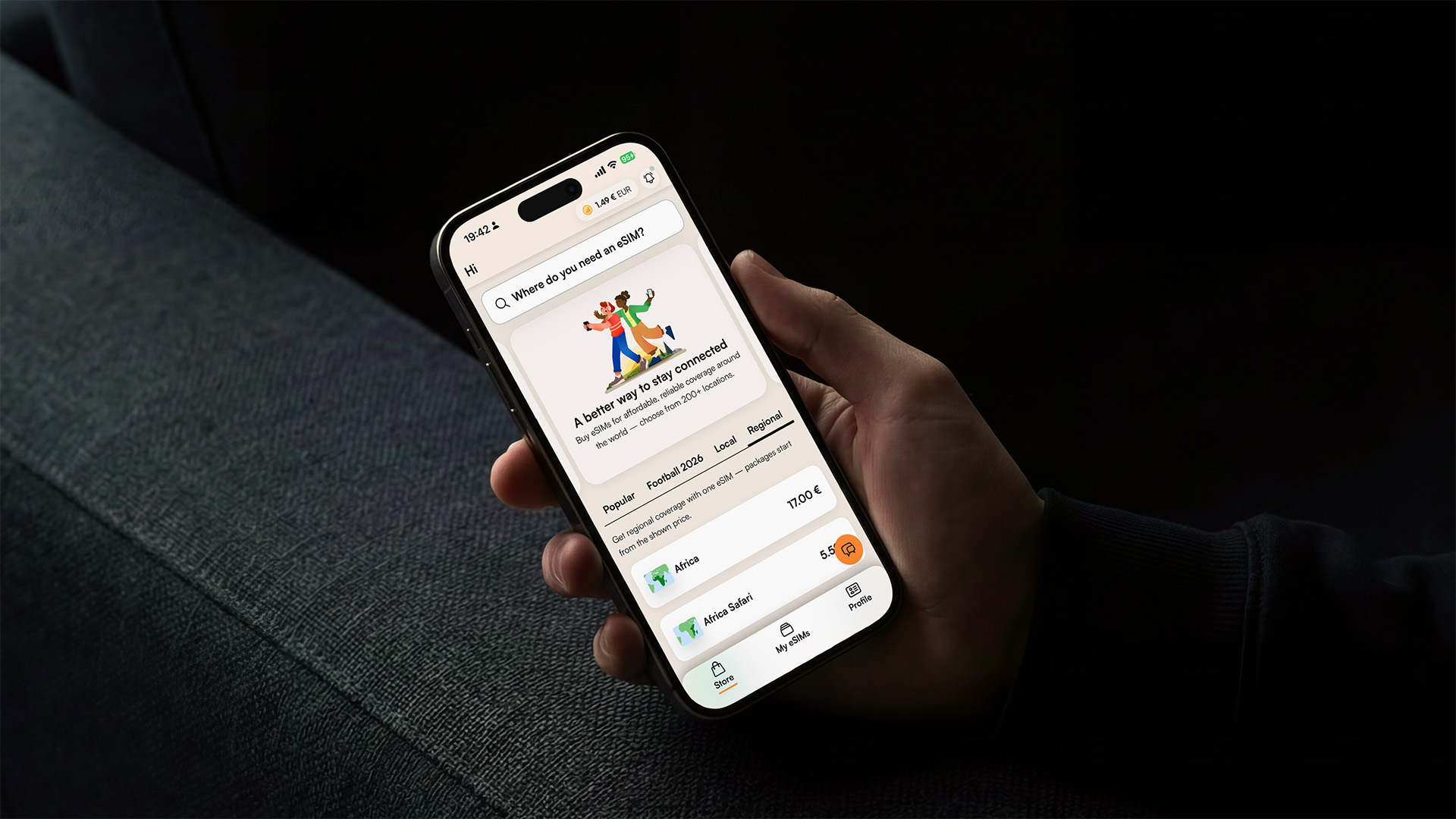
Before you do anything else, you’ll want a working data connection in Japan. Without one, the rest of these must-have apps for travelling to Japan are useless. I use Airalo for every trip, and have been for years now.
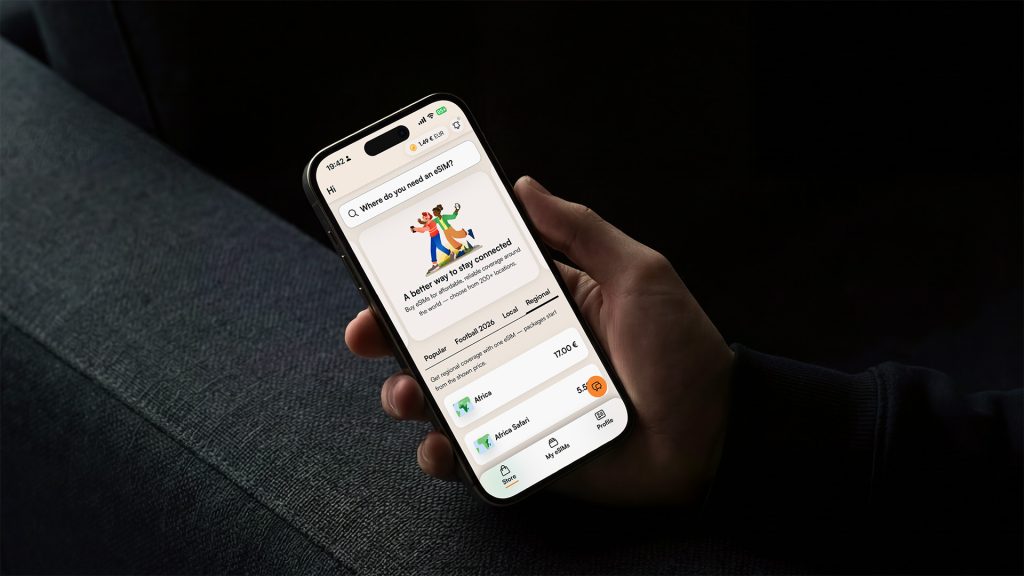
It’s never let me down. And in the few times I had an issue, including one time when, embarrassingly, I bought two eSIMs by mistake, their support was fast and actually helpful. That kind of help that doesn’t make you want to throw your phone out the window.
The big reason I stick with Airalo for Japan trips is the Asialink regional plan. Japan is rarely my only stop; I’ll often bounce to Hong Kong, Seoul, or Singapore on the same ticket and having a single eSIM that keeps working across borders is one less thing to think about. The local Japan-only plans are fine, but they tend to be more expensive for the same amount of data.
Setup is genuinely five minutes: buy the plan, install the eSIM in the app, and turn it on as soon as the plane’s wheels touch the ground. By the time you’re through immigration, you have full data.
Also read: The Best Mobile Data Plan for South Korea: Why Airalo’s Asialink eSIM Is a Game-Changer — a longer review of the same plan, written after months of use in Korea.
Honest note: most eSIM providers will do the job. Airalo is the one we actually use, and the one we’ve partnered with, so the links below include a discount for new and returning customers. Using them helps us keep producing free content like this.
Simply choose your data plan, apply your discount code at checkout, and enjoy seamless connectivity to 18 Asian destinations if you’re planning a multi-country trip, or simply choose a one-country plan.
After choosing your data plan, apply the following codes for special discounts:
For 15% off (New Customers)
For 10% off (Existing Customers)
2. Surfshark: A VPN You Shouldn’t Travel Without
VPNs are suddenly everywhere, and I get it; to most people, they sound like one of those techy things you only need if you’re doing something shady. As someone with a background in technology, I genuinely consider VPN as one of the most basic safety tools you can have on the road, and not just since 2020.
Every time you join a public Wi-Fi hotspot, like in a hotel, an airport lounge, a café, or an aeroplane, you’re potentially exposing your traffic to whoever runs that network. That includes the booking page for your Shinkansen ticket, your credit card details, and your email logins. All of it on a network that might be a few cents of hardware away from someone curious.
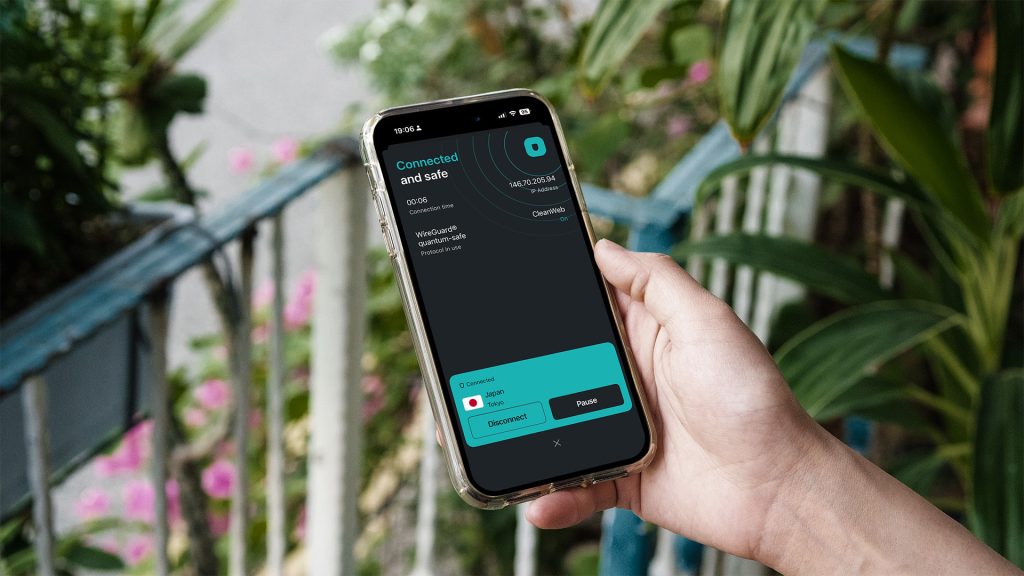
A VPN fixes that. It also unlocks everything else you’d expect. Your home country’s streaming services still work from your Tokyo hotel room, but the safety angle is the one I actually care about.
I’ve used a bunch of different VPN services over the years, and eventually settled on Surfshark. A few reasons:
- Trusted by people who can’t afford to be wrong. Surfshark is regularly recommended for journalists and security professionals, which is a good baseline for any of us.
- Unlimited devices. This sounds minor until you actually start adding them up: phone, tablet, laptop, the Surfshark browser extension, your partner’s devices, the smart TV in your hotel room, and so on. Most providers cap you at around 5 connections, which is never enough. Surfshark doesn’t.
- Household sharing. Surfshark officially allows you to share within your household, which is a nice way to split the cost with a travel partner or family.
- Hides your device on the network. Handy on busy hotel Wi-Fi where you don’t want every other guest to see your laptop on the shared network.
- Apps everywhere. iOS, Android, macOS, Windows, browser extensions — you can cover all the entry points quickly.
Since we’ve been happy Surfshark customers for years, we partnered with them to offer an extra discount through the following link. Same product, just a slightly better price.
3. Amazon Japan: The Underrated Hack
If I had to pick one app on this list that tourists underestimate the most, it would be Amazon Japan. You can set up a fully functional Japanese Amazon account from anywhere in the world with nothing but an international email address, an international phone number, and a credit card that works overseas. No Japanese address, no residency card, no Japanese phone contract are needed. Once you’re in, you can order Japanese-only products, send the parcel to a pickup locker at 7-Eleven, Lawson, FamilyMart, or a station box (and let the locker hold the parcel for a few days while you’re still in transit), and even stock up a holiday home’s doorstep in advance. The big-ticket tech is often cheaper than Yodobashi or Bic Camera once the weak yen is factored in, although the tourist tax-free discount does not apply to Amazon orders.
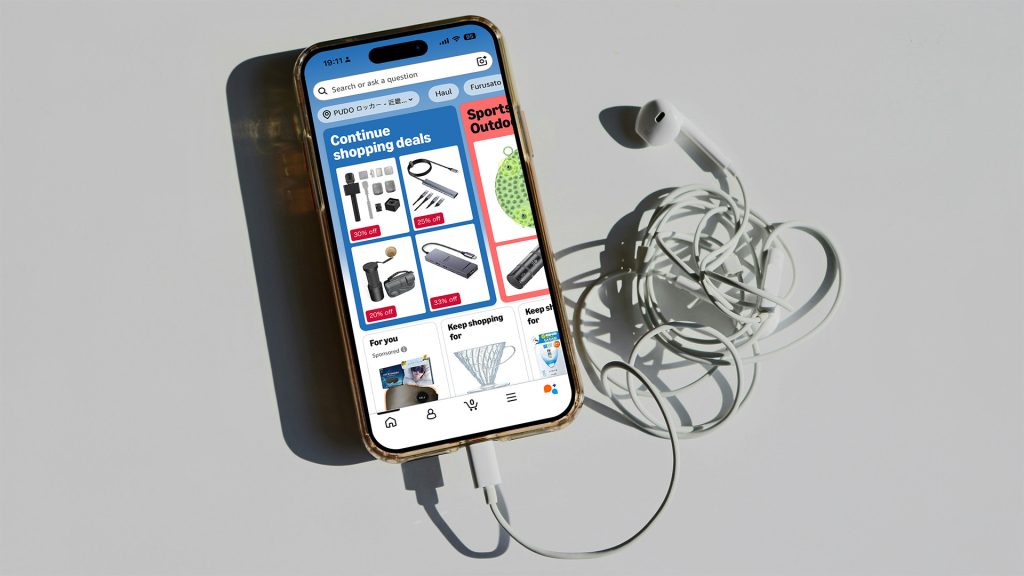
Also read: How to Use Amazon Japan When Travelling: The Underrated Shopping Hack — the full step-by-step guide, including the “force the Japanese storefront in the app” trick that nobody else mentions, the four delivery options, and a FAQ that covers Japanese phone, Japanese card, and Japanese address requirements.
Curious what Japanese people actually buy? Explore Amazon Japan’s best sellers, stock up on locally approved Uji matcha, or treat yourself to ultra-soft Japanese towels that can make any stay feel more luxurious. A quick browse might introduce you to products you never knew you needed.
4. Uber: Rides and Food Delivery
Uber is the default ride-hailing app in most major Japanese cities, such as Tokyo, Osaka, Kyoto, Fukuoka, and Sapporo; it all works well. The app looks the same as anywhere else; your international credit card is already on file, and you don’t have to think about cash or Japanese-only taxi stands.
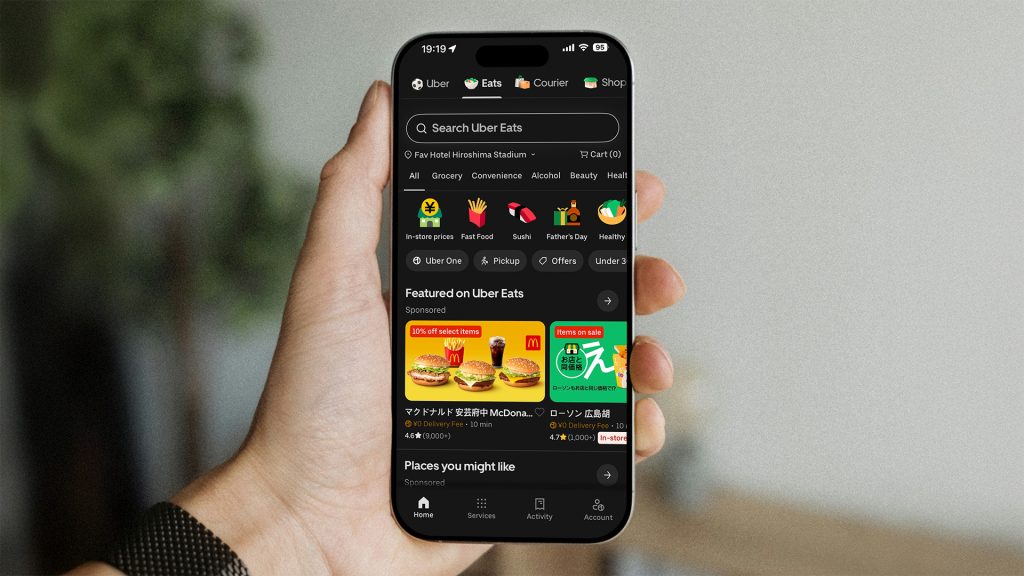
What I find underrated, though, is Uber Eats. In metropolitan areas, it’s everywhere, but the really useful part is that it also works in places where Uber rides aren’t available, for example, smaller cities, suburbs, and more rural parts of Hokkaido or Kyushu. If you’re staying somewhere without a konbini nearby, Uber Eats is often the easiest way to get a hot meal delivered.
One small heads-up: many Uber Eats menus in Japan are in Japanese only. Don’t let that put you off. On most modern phones, you can just take a screenshot of the menu and translate it directly on screen — iOS and Android both do this from the photo view. Two taps and the entire menu is readable in English.
5. GO Taxi: When Uber Isn’t Around
Uber is great, but it doesn’t cover all of Japan. In some regions, Nara is the classic example, and in many smaller cities around it, Uber doesn’t have drivers or only has them at unpredictable times. When that happens, GO Taxi is the next-best app to have on your phone.
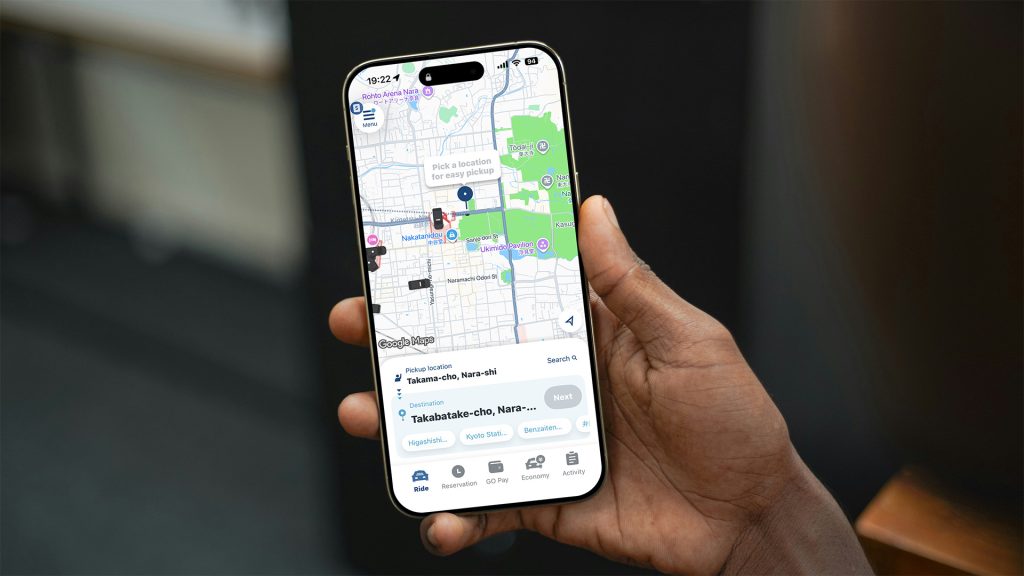
GO Taxi is the largest taxi-hailing app in Japan, with the deepest coverage of any operator. The practical things that matter for travellers all work as expected:
- International credit cards are accepted in-app. No fumbling for cash, no language barrier at the end of the ride.
- Apple Pay and Google Pay work. Useful as a backup if your card declines for any reason.
- No Japanese phone number required. You can register and ride with a foreign number.
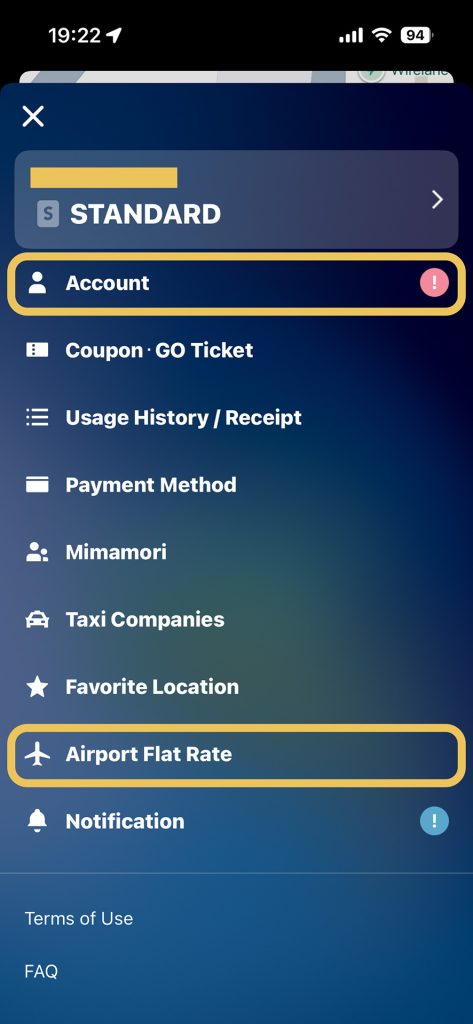
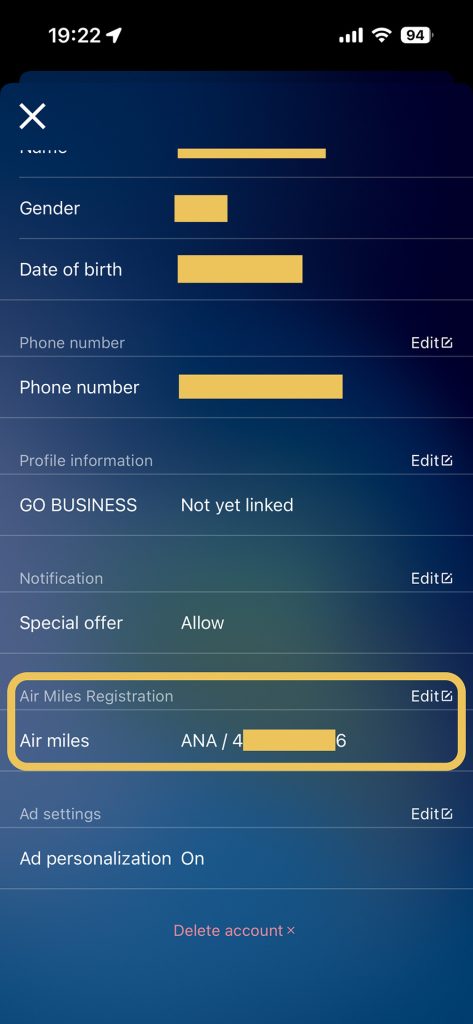
- Earn airline miles on every ride. This is the bit most people miss. You can link your JAL or ANA mileage number inside the app and earn miles on every paid trip. Not a huge earn rate, but it’s free money on rides you’d be taking anyway. If you fly one of those programmes, set this up once and forget about it.
6. Google Maps: Navigation and Local Discovery
Google Maps in Japan is one of those underappreciated travel tools. It handles driving, walking, and, most usefully, the country’s sprawling public transport networks reasonably well. Train and subway routing, including transfers and platform numbers, generally works in the major cities. The real-time bus tracking in places like Kyoto and Hiroshima is better than the local alternatives, in my experience.
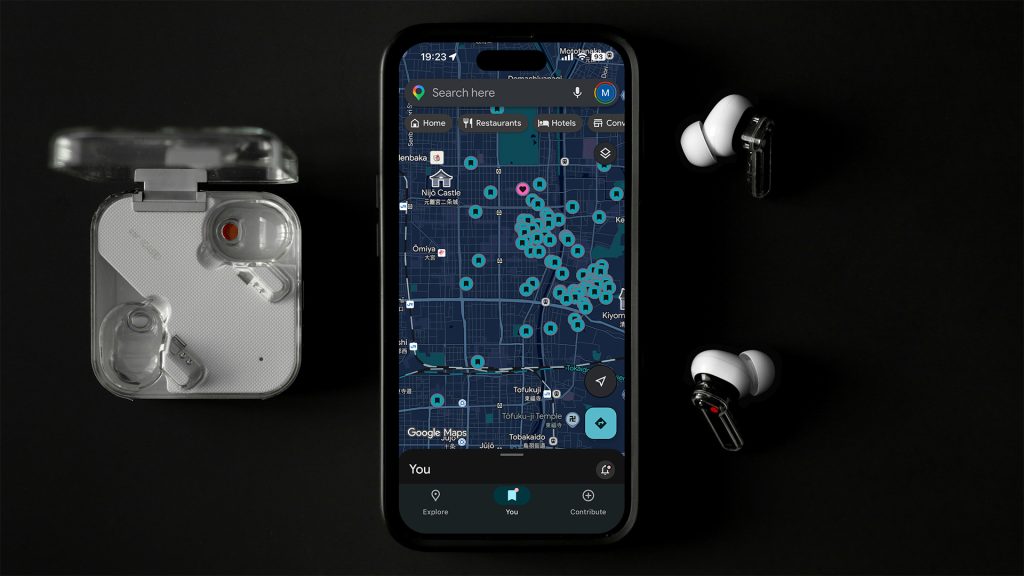
Saving places to lists and downloading offline areas for the regions I’ll be without data are both habits I now do automatically.
Speaking of which: we’re currently putting together curated Google Maps lists for our readers — every place we’d actually recommend across Tokyo, Kyoto, the Kansai region, Nara, Hiroshima, Naoshima, and beyond. Sign up for our newsletter to get them as they go live, along with new travel guides. We don’t spam — pinky promise.
Final Thoughts on These Must-Have Apps for Travelling to Japan
Six apps. That’s the whole list of must-have apps for travelling to Japan that I actually rely on trip after trip. Airalo for data, Surfshark for safety, Amazon Japan for the things you can’t get anywhere else, Uber for getting around, GO Taxi as the fallback, and Google Maps for everything in between. Together, they cover basically every friction point of a real trip to Japan, and none of them requires a Japanese phone number, a Japanese address, or a Japanese credit card to get started.
If you’re putting your kit together for an upcoming trip:
- 👉 Grab your Airalo eSIM (use NEWTOAIRALO15 for 15% off)
- 👉 Get Surfshark VPN (extra discount via our link)
- 👉 Read the full Amazon Japan guide
And if you want the curated Google Maps lists as they come out, plus more first-hand travel guides from our regular trips, subscribe to the Midair Times newsletter. We’ll only email when there’s something worth sending.
Note: This article contains affiliate links. By clicking the links above, you can support our work at no additional cost to you. Affiliate partnerships never influence our editorial recommendations — see our editorial standards for details.
Leave a Reply